Pearson VUE · Biometric Admissions

I had to make palm capture work across a person, a tablet, the biometric system, and an unreliable network.

I designed a tablet-based admissions direction for palm enrollment and matching, including capture guidance, success, failure, retry, QR/PIN handoff, device handling, and offline constraints.

Pearson VUE · Biometric Admissions experience

Overview

I designed a tablet-based admissions direction for palm enrollment and matching, coordinating the capture flow with test-center operations, hardware, and biometric system constraints.

Goals:

  1. Fit tablet-based palm enrollment and matching into the existing admissions rhythm without slowing check-in.
  2. Make candidate verification, capture guidance, success, failure, retry, and alternate handoff clear to both the Test Administrator and candidate.
  3. Design around real device, security, network, accessibility, and workstation constraints before a small pilot.
Role
Product Designer · native interaction
Responsibilities
Native tablet interaction design, research, workflow definition, prototyping, usability testing, and coordination with the biometric vendor.
Collaborators
Product, engineering, hardware vendor, field staff
Timeline
Technical direction + in-person usability

Business problem

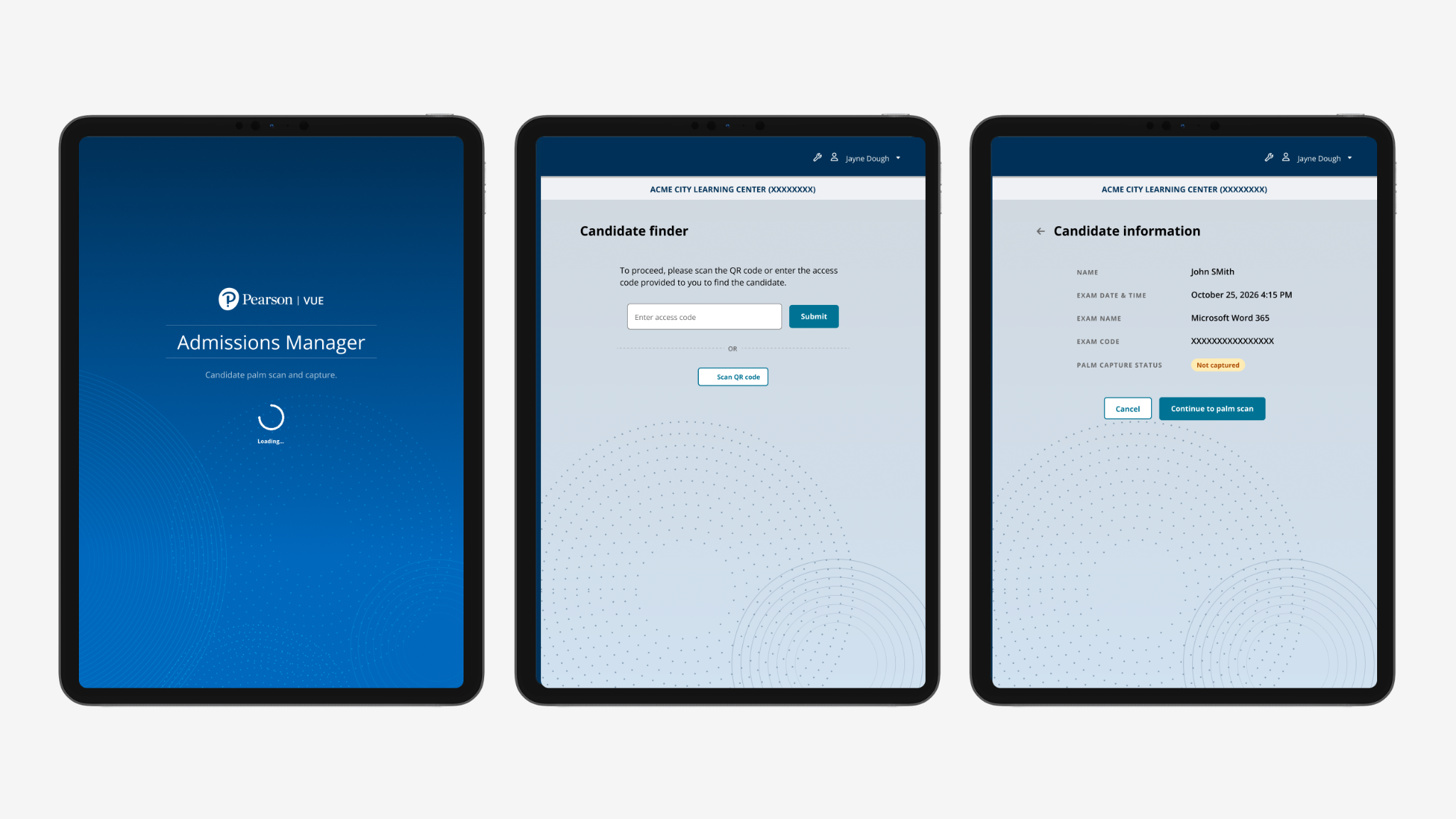
The retiring desktop palm-ID flow relied on specialized hardware and was cumbersome to use within the broader test-center admission sequence.

Moving capture to an Android tablet added shared-device, positioning, and controlled-connectivity questions that could affect check-in speed and pilot readiness.

Business need

Modernize palm enrollment while preserving a secure and efficient admissions flow, and validate the station setup and recovery path before pilot use.
User problem

The Test Administrator operates the workflow while the candidate physically positions a hand at the device. Both need to understand what is happening and what to do next.

Unclear positioning, scan failure, device configuration, or leaving candidate details visible between people could create confusion, repeat work, or privacy concerns.

User need

A shared, easy-to-guide capture experience that confirms the candidate, explains positioning and status, supports accessible alternatives, and provides a clear recovery path.

Problem to solve

Problem statement

Move palm identity into the tablet admissions workflow while making candidate verification, capture, failure recovery, and the physical workstation clear and dependable.

How might we

How might we help administrators and candidates complete palm capture confidently within a secure test-center workflow, even when device placement, capture conditions, or connectivity are constrained?

01 / 03

Three product decisions

Guide repeatable biometric capture and recovery across hardware, identity, local server, cloud, and network constraints.

Identity · confirm the candidate before capture.

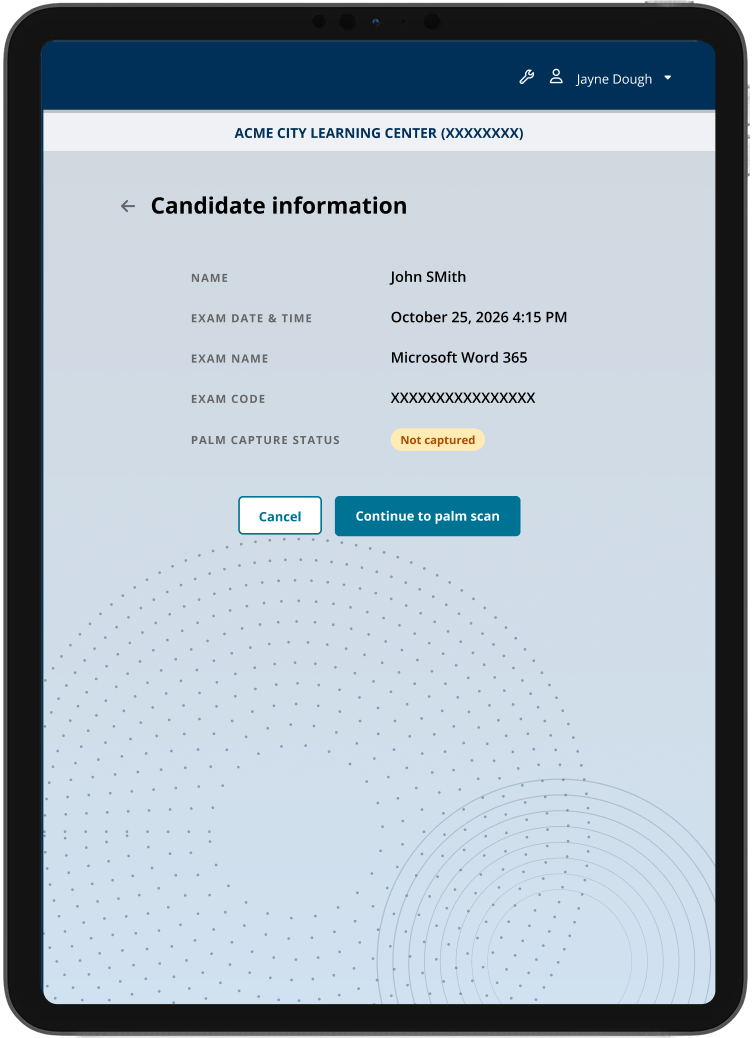
Decision 01 · Keep the candidate record visible before capture.

Administrators confirm the right person and test context before entering a biometric state that can be difficult to reverse.

Tablet candidate information screen before palm capture

Capture · positioning feedback near the device.

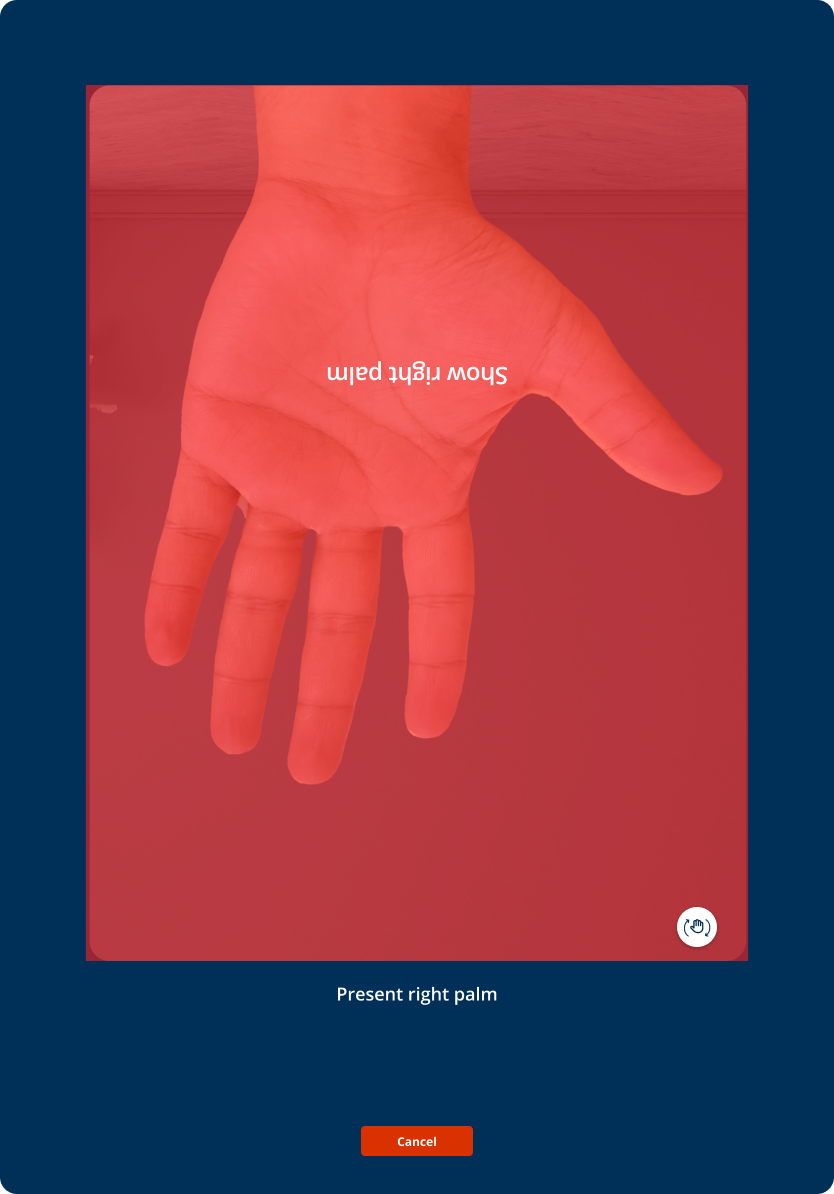
Decision 02 · Turn positioning into visible progress.

Live guidance explains palm placement and capture quality so administrators can correct technique instead of guessing why the device has not advanced.

Tablet palm positioning guidance for the candidate and administrator

Recover · specific failure before another attempt.

Decision 03 · Design failure as a recoverable state.

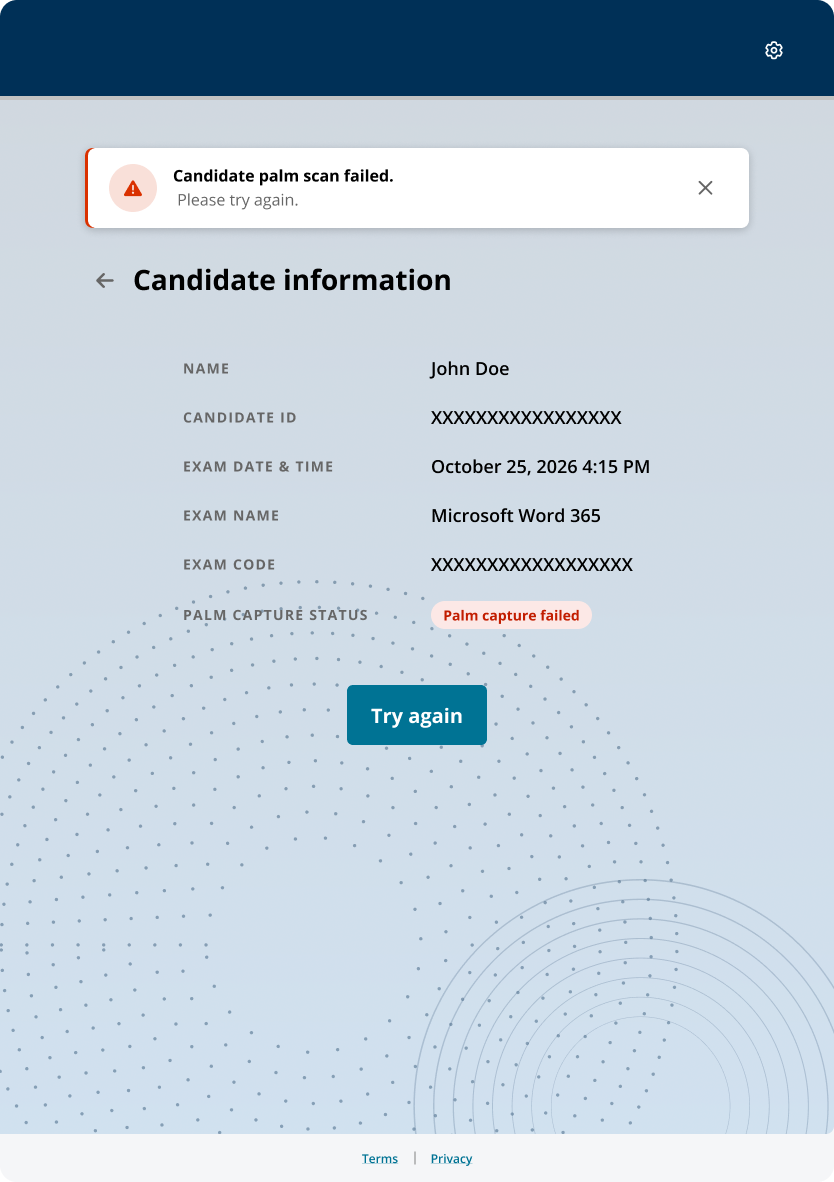
The interface distinguishes capture failure, device or configuration problems, retry, and alternate handoff so the administrator knows what can be fixed at the station.

Palm capture failure state with an actionable recovery path
02 / 03

Evidence and outcome

Field research changed the physical setup as well as the UI.

In-person testing showed that tablet placement, training, and capture technique affected success as much as screen wording. The work supports a technical design and prototype direction.

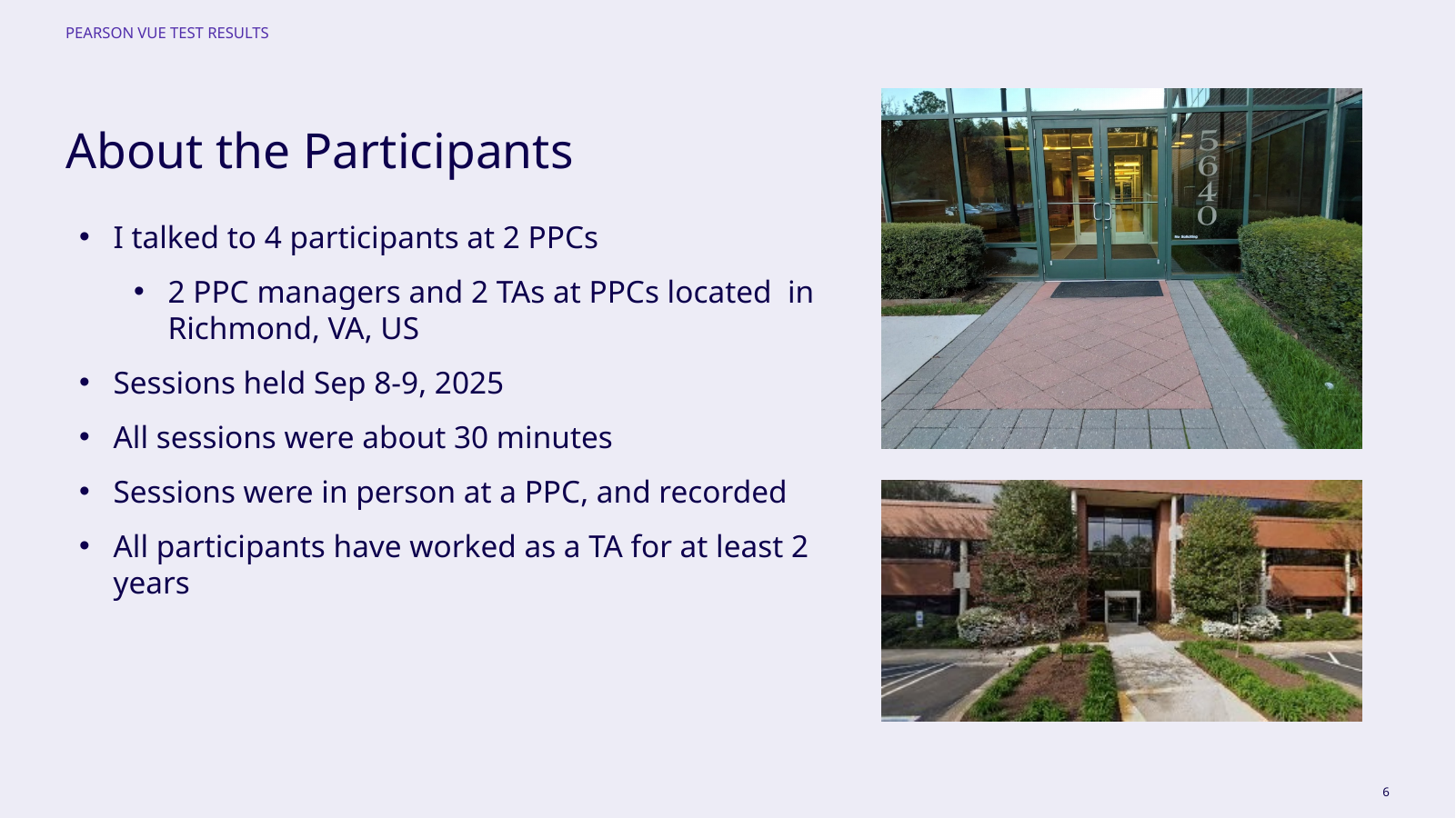
Usability study participants and test-center research setup
Four experienced participants across two Richmond test centers.
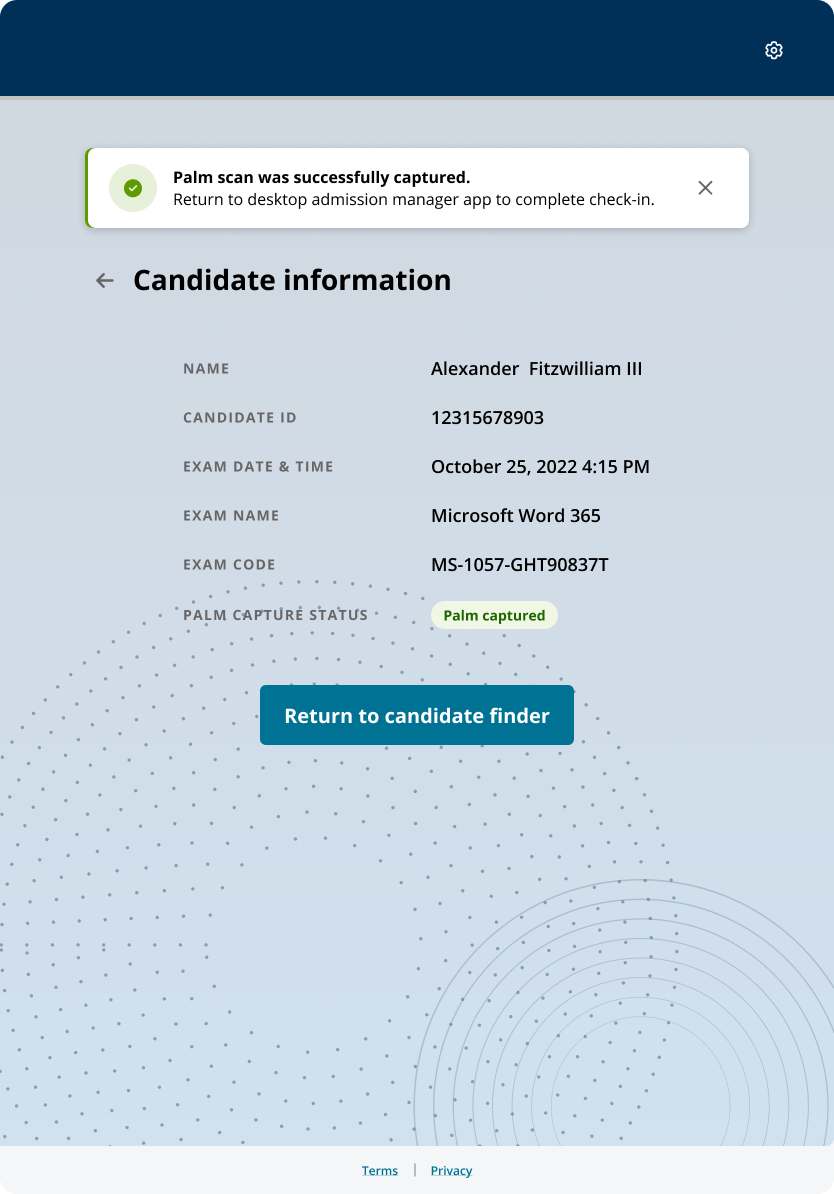
Palm capture success and completion state
03 / 03

Limits and next questions

The pilot still had to prove the physical setup.

Tradeoff

More guidance can slow an experienced administrator.

Evidence boundary

The next pilot was approved, but a completed pilot and production performance are not claimed.

Next test

Validate the end-to-end flow with production-like hardware, offline handling, and repeat capture conditions.

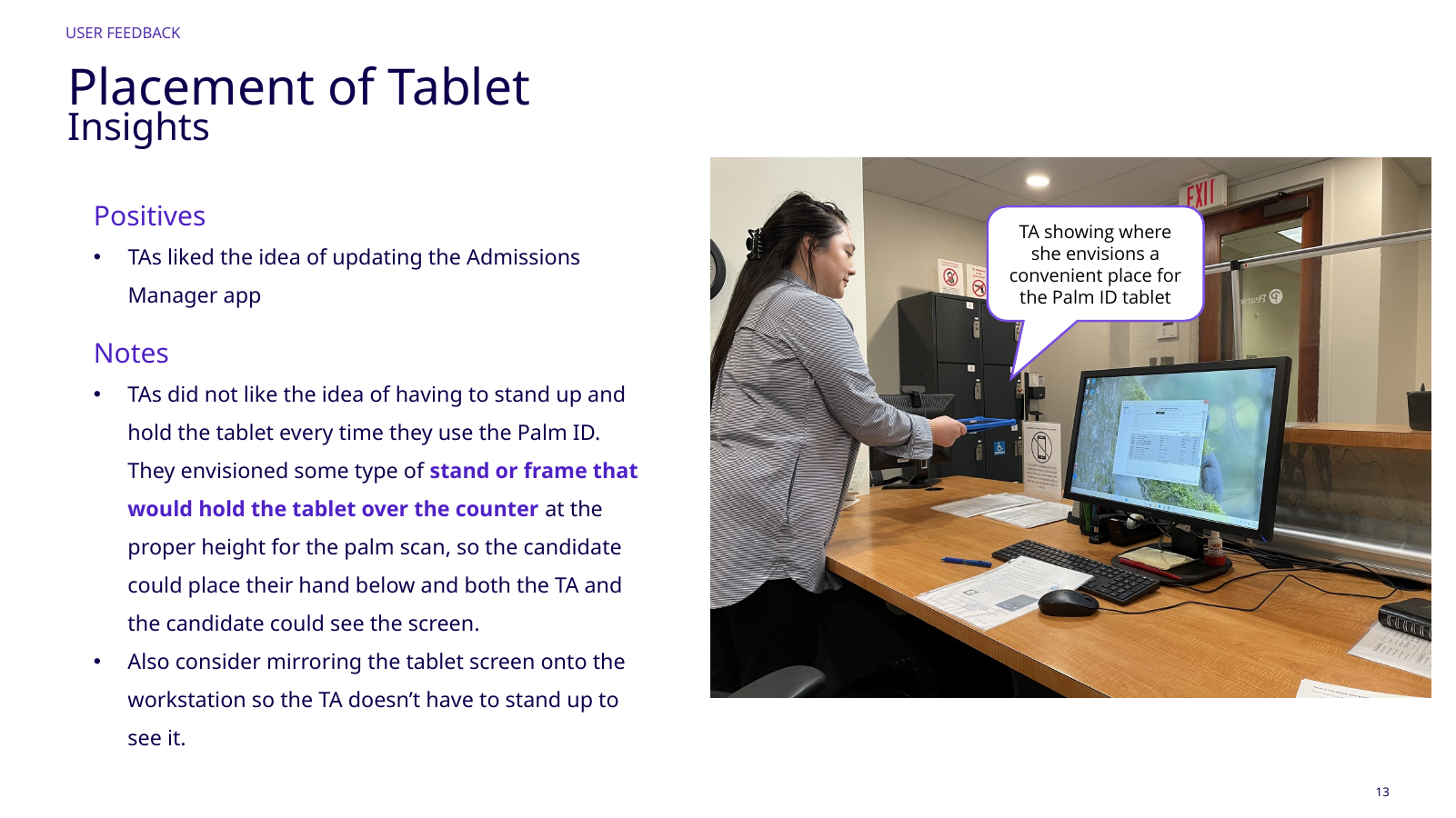
Test administrator demonstrating preferred tablet placement at the station

Go deeper

See the decisions behind the work.

The full case study contains additional project context, iterations, and evidence.

Full case study

Next case study

AI could find the moment. Reviewers still had to own the judgment.